
November 29, 2025
Top 7 3D Orthodontic Software Solutions


SoftSmile Team
Editorial Team


The future of dentistry is unfolding faster than ever, driven by advanced imaging, automation and the rise of fully digital workflows. What used to require messy impressions and time consuming manual modeling is now handled through precise scanning technologies and 3d orthodontic software that gives orthodontists complete control over treatment planning. As patients increasingly expect comfort, speed and personalization, digital orthodontic solutions are rapidly becoming the new standard of care.
Why Digital Orthodontic Software Now Defines Modern Treatment
Today, intraoral scanners, AI driven modeling, cloud based collaboration and high speed 3D printing allow specialists to design personalized appliances with remarkable accuracy. The combination of these tools is transforming clinical efficiency, reducing chair time and enabling orthodontists to scale their practice without compromising quality. Modern orthodontic 3d software plays a central role in this transformation by connecting scanners, printers and planning tools into one cohesive system.
As the industry moves toward fully digital treatment pipelines, the market for orthodontic technology has expanded with innovative solutions that support planning, modeling, printing and automation. To help orthodontists navigate this evolving landscape, we have compiled a list of the top seven software platforms leading this digital shift. The ranking is based on precision, automation capabilities, workflow efficiency, user experience and integration with scanners, printers and orthodontic cad software used in clinics worldwide.
1. SoftSmile Vision
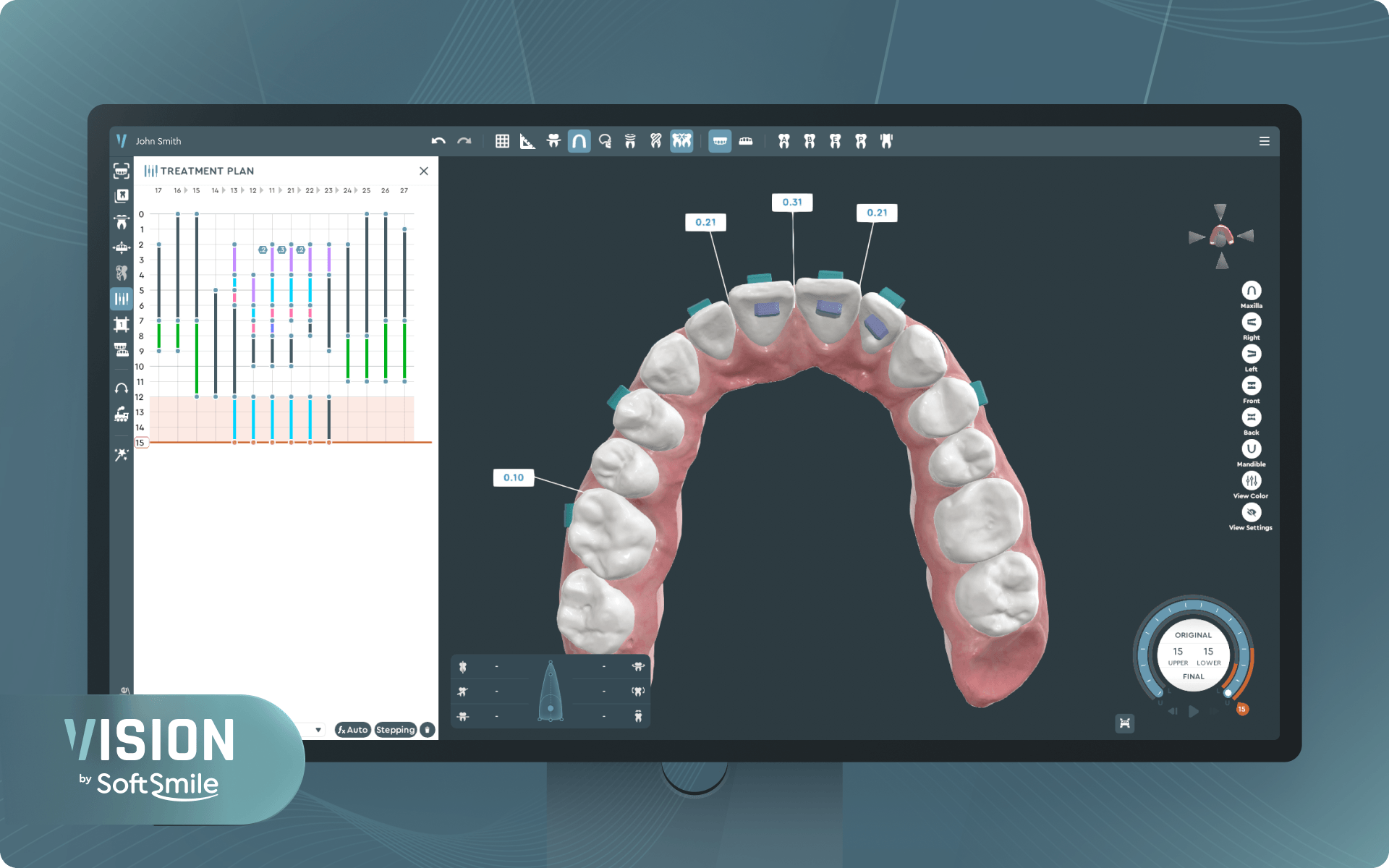
SoftSmile Vision is a comprehensive digital orthodontic solution that brings advanced accuracy, automation and workflow efficiency into a single platform. As a leading 3d orthodontic software system, Vision helps orthodontists transition to a fully digital treatment pipeline where manual steps are minimized and each case receives a precise, patient specific plan. The platform combines AI based segmentation, intelligent automation tools and broad device compatibility, making it one of the most powerful ecosystems available today.
Precision and Innovation in 3D Modeling
Vision uses AI driven segmentation to automatically separate teeth and generate high fidelity 3D anatomical models, including detailed roots and soft tissues. This enhanced accuracy supports better diagnosis, more predictable movement and fewer planning errors.
Key advantages:
-
automatic AI segmentation with minimal manual correction
-
anatomically detailed crown and root visualization
-
stable model accuracy for both simple and complex cases
-
improved diagnostic insight and movement predictability
Treatment Planning and Intelligent Automation
Vision significantly reduces manual planning time through automated collision resolution, optimized movement paths and built in biomechanical controls. Orthodontists can adjust movement velocity, sequence and constraints to maintain full clinical oversight while benefiting from accelerated workflow.
Planning highlights:
-
automated collision detection and resolution
-
optimized tooth movement trajectories
-
adjustable movement speed and sequencing
-
drastically reduced manual planning steps
-
integration with orthodontic 3d printing software for consistent in house production
Interface Usability and Workflow Experience
The interface is designed for clarity and efficiency, offering intuitive 3D controls, a structured tool layout and cloud accessibility. This allows orthodontists to review, collaborate and adjust cases from any location.
Workflow benefits:
-
intuitive 3D model interaction
-
clean, structured menus
-
cloud based collaboration and remote access
-
fast and efficient case sharing within the clinic
Integration and Device Compatibility
Vision connects seamlessly with a wide range of CBCT systems, intraoral scanners and 3D printers. Its flexible import and export capabilities make it easy to integrate into existing digital ecosystems.
Compatibility includes:
-
major intraoral scanner brands
-
nearly all 3D printers on the market
-
standard clinical file formats
-
simplified data exchange with partners and labs
2. 3Shape Ortho System
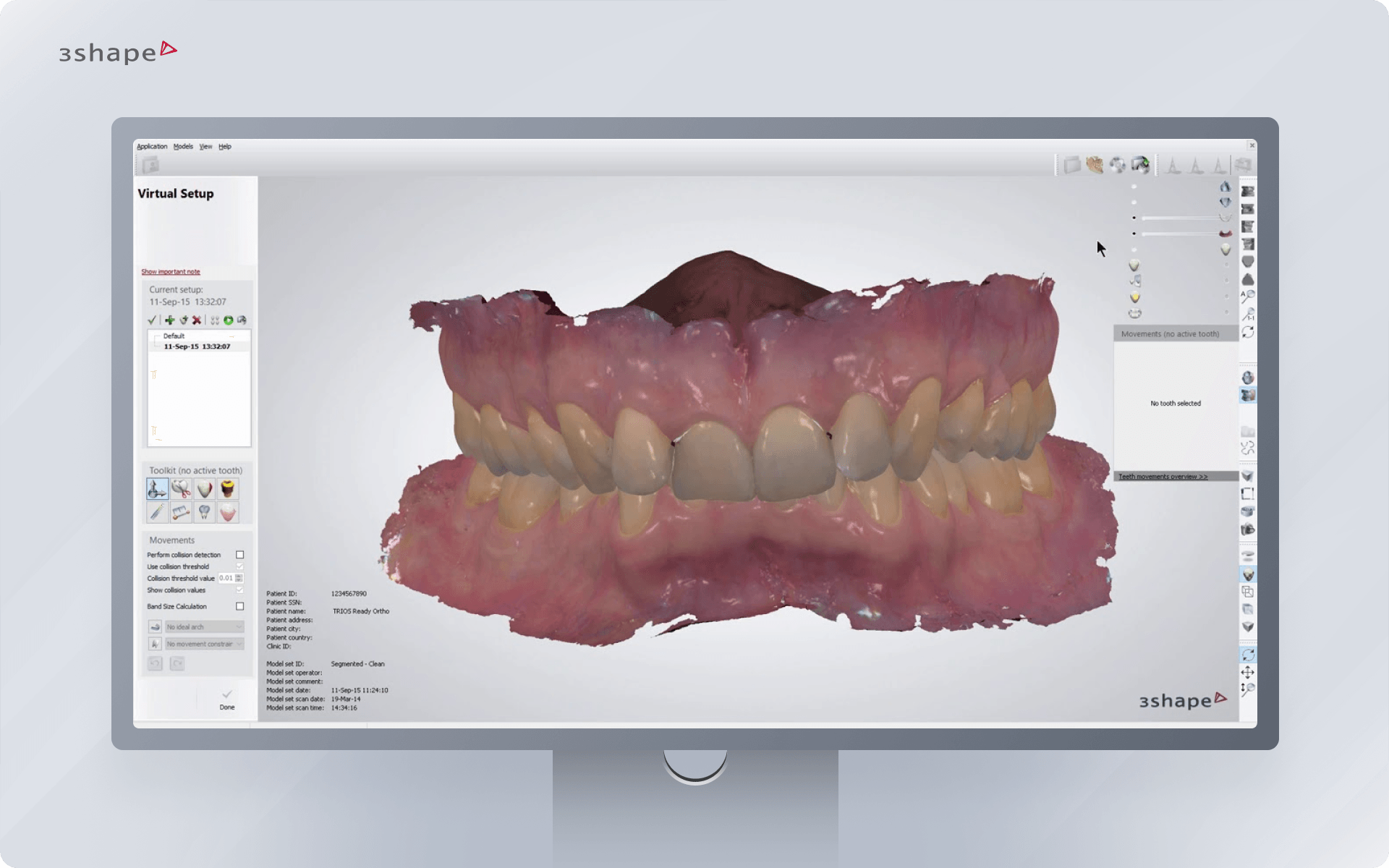
3Shape Ortho System is one of the most widely adopted digital orthodontic platforms, known for its strong modeling tools, lab connectivity and reliable workflows. While it is less automation focused than SoftSmile Vision, it remains a powerful option for clinics that need robust visualization, appliance design and collaboration with labs. As a versatile orthodontic cad software environment, it supports clinics transitioning from traditional to digital workflows at their own pace.
Precision and Innovation in 3D Modeling
3Shape provides detailed 3D models with accurate anatomical surfaces, making it suitable for diagnosis, treatment presentation and appliance preparation. The platform focuses on precision and consistency across various input sources, including intraoral scanners and CBCT data.
Notable strengths:
-
high quality 3D surface modeling
-
stable segmentation tools
-
precise visualization for diagnostics and case presentations
-
reliable integration of CBCT and scan data
Treatment Planning and Automation
3Shape Ortho System offers a suite of treatment planning tools that support aligner design, bracket placement and appliance simulation. Although the automation is less advanced than Vision’s AI driven engine, orthodontists still benefit from guided workflows and semi automated features.
Planning capabilities:
-
bracket placement assistance through digital set up
-
automatic measurements and analysis features
-
aligner staging and movement simulation
-
appliance design workflows for labs and clinics
Interface Usability and Workflow Experience
The interface is clean and functional, with a layout that follows the logic of traditional orthodontic workflows. It is built to support both in house teams and lab driven production models, making it flexible for different clinic types.
User experience highlights:
-
structured workflow modules
-
clear navigation between scanning, planning and appliance design
-
helpful step by step guides for new users
-
powerful presentation tools for patient communication
Integration and Device Compatibility
3Shape is known for its extensive ecosystem and deep integration with scanners, labs and third party design tools. Clinics using 3Shape scanners benefit from full ecosystem connectivity, while external devices are supported through open file formats.
Integration features:
-
seamless connection with 3Shape TRIOS scanners
-
broad printer and lab compatibility
-
open file exchange for STL and DICOM
-
reliable communication channels between clinics and labs
3. Invisalign ClinCheck
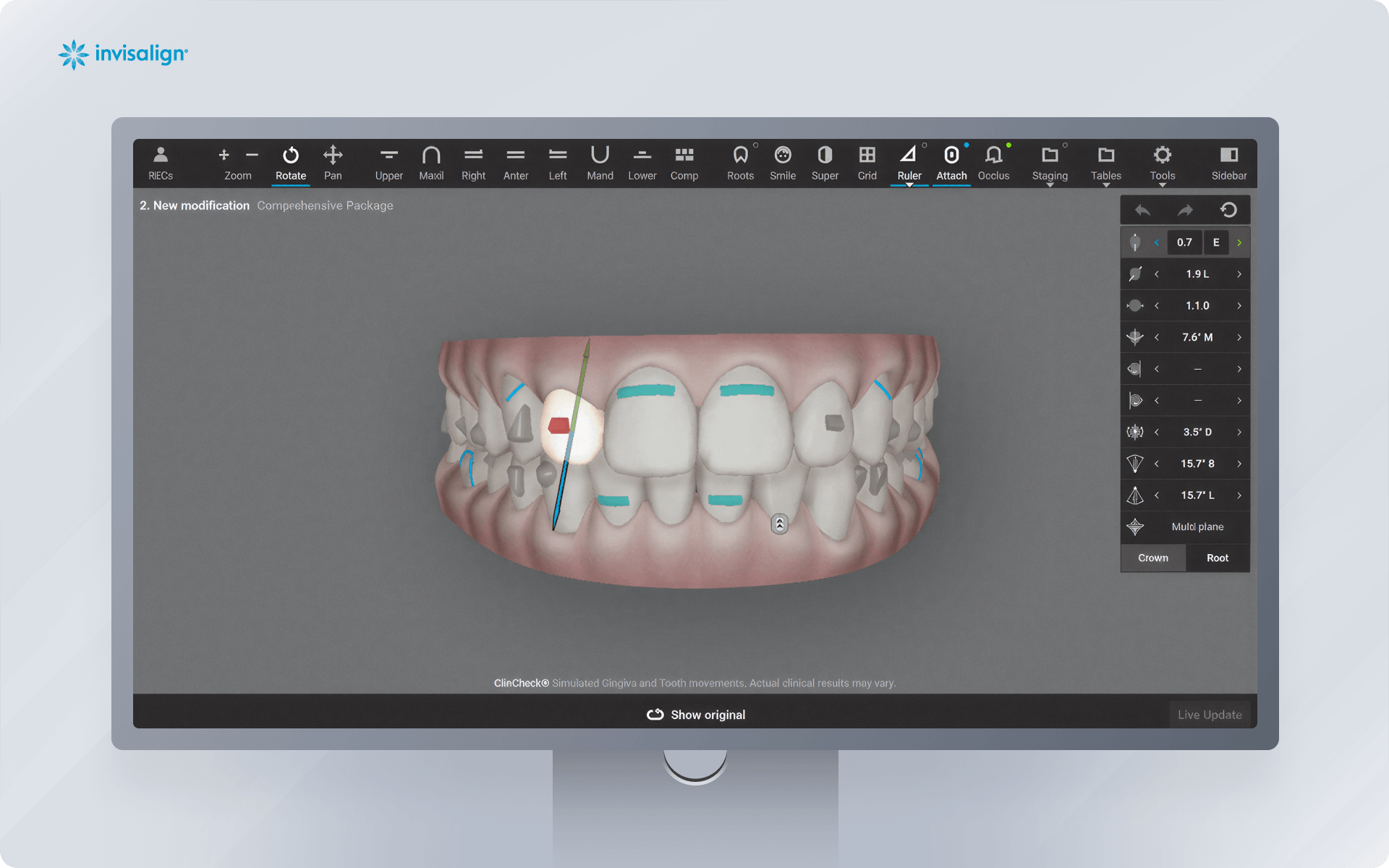
Invisalign ClinCheck is one of the most established digital treatment planning systems in orthodontics, known for its mature workflow and long standing clinical validation. While it is a closed ecosystem tied to Invisalign aligner production, its powerful visualization and movement simulation tools make it a trusted platform for orthodontists focusing on clear aligner therapies.
Precision and Innovation in 3D Modeling
ClinCheck provides polished, patient friendly visuals and accurate tooth movement projections, allowing clinicians to communicate treatment steps effectively. The modeling system is optimized for clarity rather than deep anatomical detail, but its consistency remains one of the strongest in the industry.
Modeling strengths:
-
clean and accurate motion simulation
-
stable digitization of patient scans
-
reliable movement prediction in sequential aligner workflows
Treatment Planning and Automation
ClinCheck automates aligner staging, movement optimization and attachment placement. Most steps are guided and supported by Invisalign’s established algorithms, which reduces manual work but gives less clinical freedom compared to fully open systems.
Planning capabilities:
-
automatic staging of movement sequences
-
suggested attachment placement
-
built in compliance indicators and tracking tools
-
predictable results backed by years of clinical data
Interface Usability and Workflow Experience
The platform is designed for speed and clarity, with a user friendly interface that supports fast review and approval cycles. Because most elements are pre optimized, orthodontists spend less time adjusting micro movements and more time communicating cases.
Workflow benefits:
-
very fast case analysis
-
streamlined review and approval workflow
-
highly visual patient communication
-
minimal learning curve
Integration and Device Compatibility
Being part of a closed system, ClinCheck integrates primarily with iTero scanners and the Invisalign manufacturing pipeline. It is not designed for third party printing or external appliance creation.
Integrations:
-
full compatibility with iTero scanners
-
turnkey connection to Invisalign production
-
limited export options
-
no in house printing support
4. uLab Systems
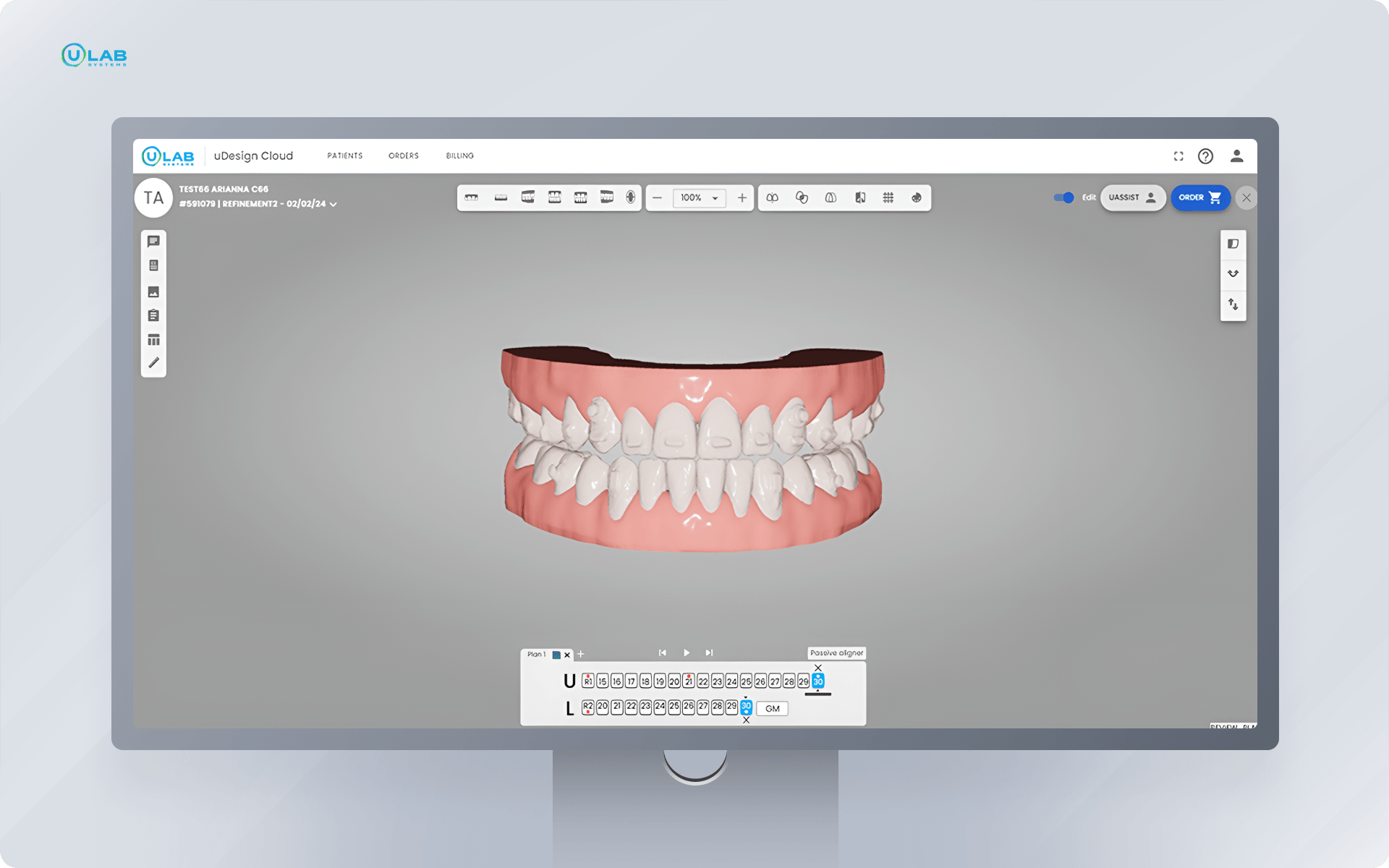
uLab Systems has gained strong traction among orthodontists who want a hybrid workflow combining manual flexibility with automation. It supports both in house aligner production and outsourcing, giving clinics more control over cost and turnaround time. uLab is also known for powerful bracket removal functionality, which makes it a relevant choice for clinics needing orthodontic 3d bracket removal software features.
Precision and Innovation in 3D Modeling
uLab generates clean, editable 3D models that can be quickly prepared for either aligner staging or bracket removal. The modeling engine focuses on speed, making it ideal for same day or rapid turnaround cases.
Key modeling features:
-
fast model generation from IOS scans
-
precise bracket removal tools
-
flexible editing for trimming, smoothing and preparing print ready files
-
stable accuracy for aligner ready models
Treatment Planning and Automation
uLab combines manual control with guided automation tools. Orthodontists can build complete aligner plans in minutes thanks to automatic staging, but still maintain fine tuning capabilities for more advanced biomechanical cases.
Planning highlights:
-
auto staging for quick case setup
-
manual refinement tools for advanced users
-
built in aligner exporting for in house production
-
efficient workflows for hybrid treatment models
Interface Usability and Workflow Experience
The interface emphasizes speed, allowing orthodontists to complete full setups in a single appointment. Tools are logically arranged, and many actions are optimized for minimal clicking.
User experience benefits:
-
extremely fast workflows for same day starts
-
intuitive bracket removal and refinement tools
-
clear and simple module layout
-
ideal for clinics wanting tighter control over manufacturing
Integration and Device Compatibility
uLab integrates well with most scanners and third party printers, making it suitable for clinics relying on flexible equipment setups.
Integration features:
-
compatibility with popular IOS scanners
-
broad support for 3D printers
-
export ready STL files
-
support for hybrid lab and in house workflows
5. Cloud 9 Orthodontic Software
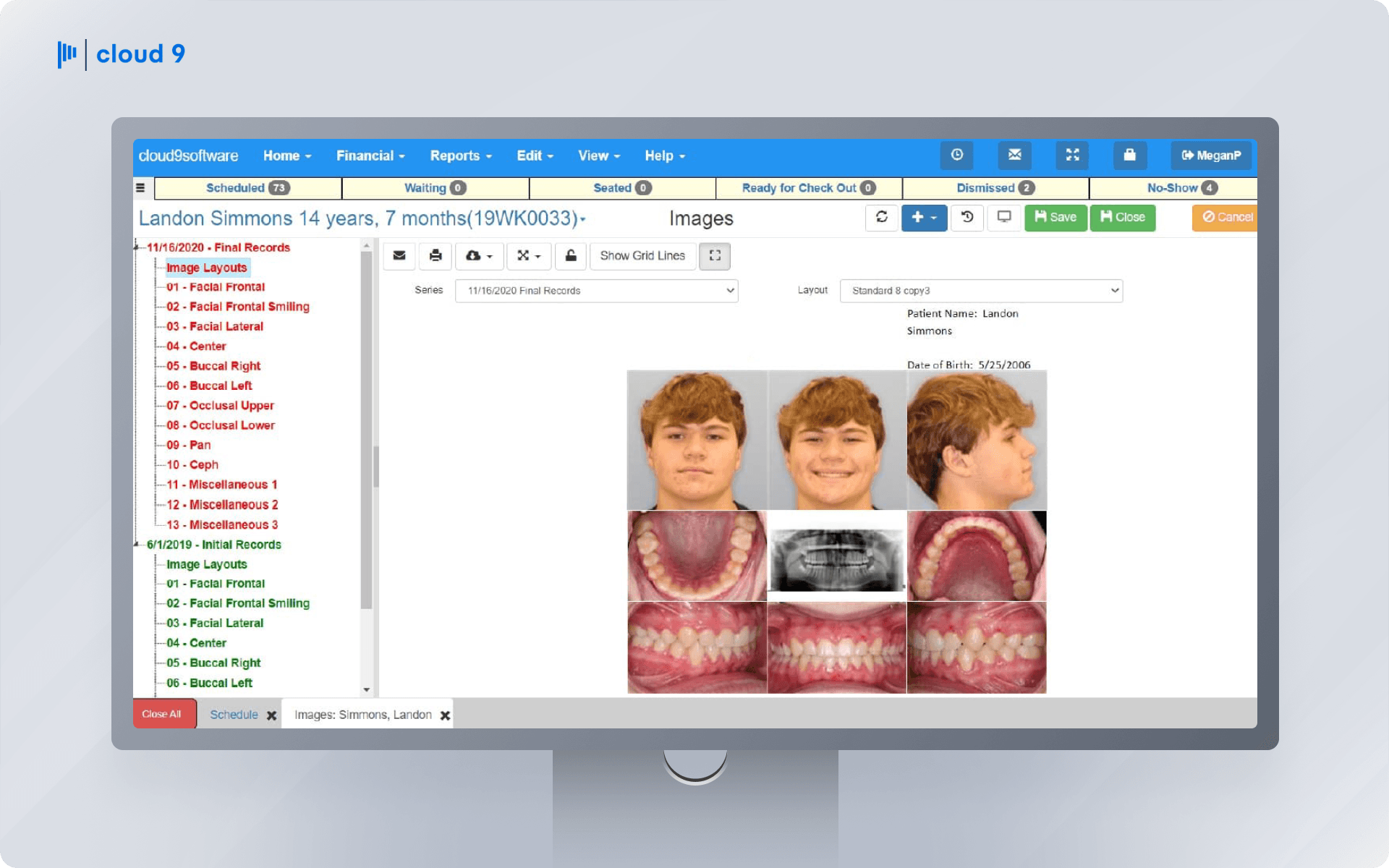
Cloud 9 Orthodontic Software is a cloud based solution designed for complete clinic management, including treatment planning, 3D modeling and workflow automation. It has become highly popular among large orthodontic groups in the US due to its scalability and centralized management features.
Precision and Innovation in 3D Modeling
Cloud 9 offers accurate 3D models that allow orthodontists to analyze cases, simulate tooth movements and plan appliances efficiently. While not AI driven, its cloud based processing ensures consistent model quality across multiple users.
Key modeling features:
-
reliable 3D tooth models from intraoral scans
-
visualization of crowns and soft tissue anatomy
-
model consistency across multiple operators
-
suitable for large clinics with many concurrent cases
Treatment Planning and Automation
The software provides tools to automate treatment steps, track progress and optimize appliance design. Its planning modules reduce repetitive manual tasks, although the automation is less sophisticated than AI powered platforms.
Planning highlights:
-
guided tooth movement analysis
-
basic automation for aligner and bracket workflows
-
progress tracking for multiple patients
-
simplified workflow for large teams
Interface Usability and Workflow Experience
Cloud 9’s cloud based interface allows remote access via browser and collaboration among specialists. Its workflow is optimized for multi user environments, supporting case sharing and joint reviews.
Workflow benefits:
-
browser based access from anywhere
-
centralized case management
-
shared dashboards for team collaboration
-
intuitive interface for onboarding staff
Integration and Device Compatibility
Cloud 9 integrates with a wide range of scanners and printers, supporting both in house and outsourced appliance production. Its open file support simplifies clinic connectivity.
Integration features:
-
supports major intraoral scanners
-
STL export for third party 3D printers
-
compatible with practice management software
-
streamlined collaboration between sites
6. Visual Orthodontics
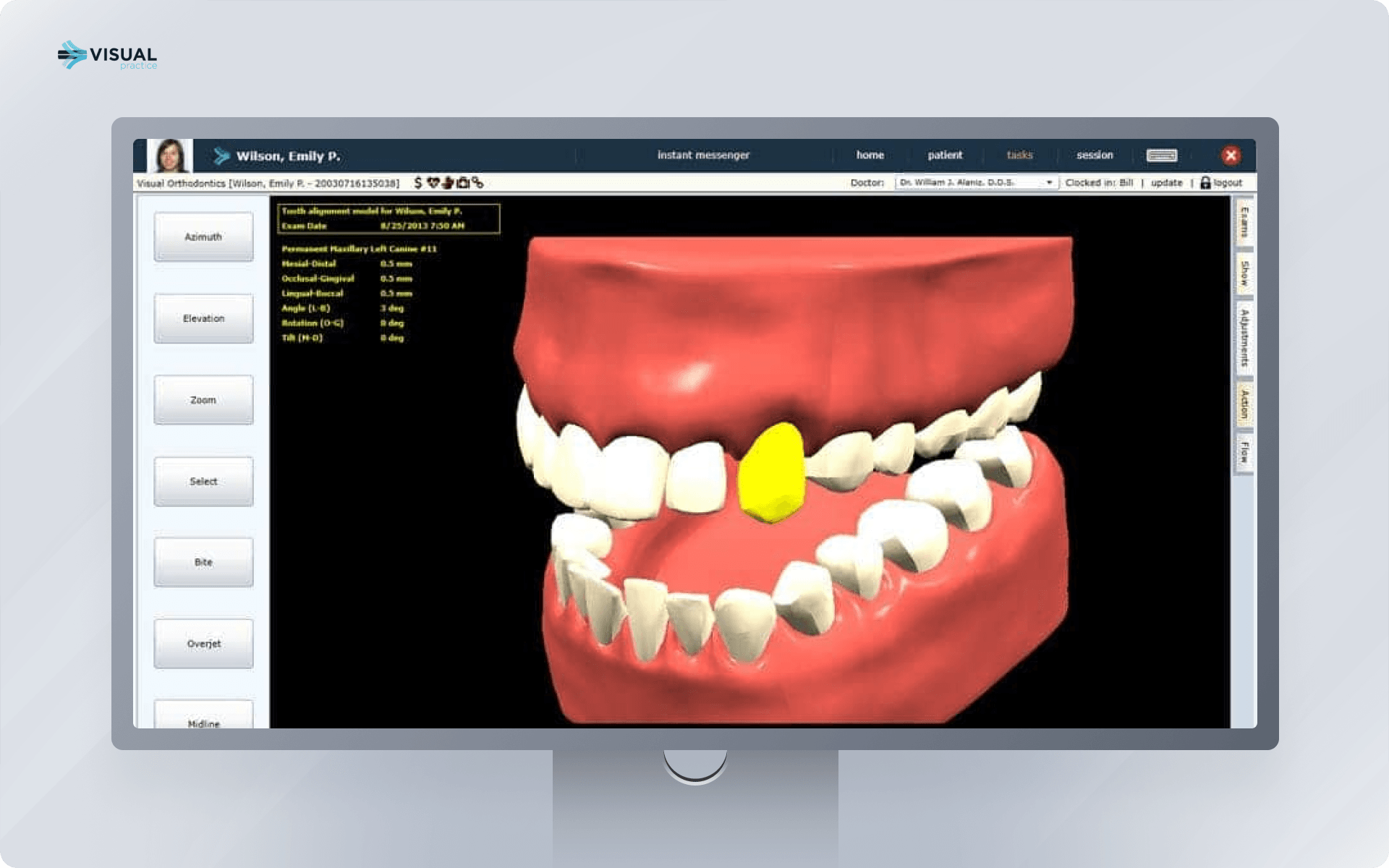
Visual Orthodontics is a SaaS platform designed for 3D scanning, precise analysis and treatment tracking through a cloud interface. Its browser based environment allows multiple specialists to collaborate on cases remotely, making it ideal for distributed teams.
Precision and Innovation in 3D Modeling
The platform generates detailed models for diagnostics and treatment planning. Visualization is accurate and optimized for real time cloud processing, allowing clinicians to view cases without large local computing resources.
Key modeling features:
-
accurate 3D scans and models
-
high fidelity visualization for treatment planning
-
cloud based rendering for lightweight client devices
-
facilitates collaboration across locations
Treatment Planning and Automation
Visual Orthodontics offers semi automated planning with precise control over movement sequences and appliance staging. Alerts and visual guides support accurate clinical decisions while maintaining flexibility.
Planning highlights:
-
semi automated movement planning
-
visual collision detection
-
remote case review for collaborative decision making
-
appliance staging with built in recommendations
Interface Usability and Workflow Experience
The SaaS interface is fully browser based, intuitive and supports collaboration among teams. Case sharing and review are seamless, improving communication and reducing delays.
Workflow benefits:
-
browser accessible from any device
-
real time collaboration tools
-
intuitive module layout for treatment and analysis
-
cloud notifications and updates
Integration and Device Compatibility
Visual Orthodontics supports most common scanners and printers. Its open format export allows easy integration with external 3D printers and lab workflows.
Integration features:
-
broad scanner compatibility
-
STL export for printers
-
compatible with clinic management systems
-
supports distributed team workflows
7. OrthoSelect
OrthoSelect is a cloud based orthodontic platform with heavy AI integration for automated 3D modeling, optimal tooth movement calculation and treatment plan generation. The platform offers web access, allowing clinicians to work remotely and manage cases from anywhere.
Precision and Innovation in 3D Modeling
OrthoSelect uses AI algorithms to automatically segment teeth, generate precise 3D models and predict accurate movement sequences. Its modeling engine focuses on speed and anatomical detail, providing reliable predictions for a wide variety of cases.
Key modeling features:
-
AI powered tooth segmentation and 3D modeling
-
predictive movement simulation
-
high accuracy for complex orthodontic cases
-
cloud based rendering for remote access
Treatment Planning and Automation
OrthoSelect automates many treatment steps while allowing clinicians to intervene and refine plans. It provides movement optimization, collision resolution and plan sequencing, greatly reducing manual workload.
Planning highlights:
-
AI optimized tooth movement paths
-
automated collision detection
-
full plan generation with manual override options
-
time saving for remote or distributed clinics
Interface Usability and Workflow Experience
The platform is fully cloud accessible, intuitive and supports remote teamwork. Clinicians can review, edit and approve cases from any location, improving practice flexibility.
Workflow benefits:
-
web based interface
-
real time collaboration and case review
-
intuitive controls for plan refinement
-
workflow optimization for multiple remote users
Integration and Device Compatibility
OrthoSelect integrates with common intraoral scanners and 3D printers. Its cloud architecture supports smooth data transfer and collaboration across sites.
Integration features:
-
supports standard scanners and 3D printers
-
cloud based file exchange
-
remote case management
-
compatible with practice management software
Conclusion
The evolution of orthodontic technology has transformed how specialists plan, simulate and deliver treatments. From AI powered systems like SoftSmile Vision and OrthoSelect to cloud based platforms such as Cloud 9 and Visual Orthodontics, the rise of 3d orthodontic software has streamlined workflows, improved accuracy and allowed for fully digital treatment pipelines.
Modern orthodontic 3d software solutions offer clinicians unmatched precision in modeling, efficient treatment planning, intuitive interfaces and broad integration with scanners, printers and practice management tools. Orthodontic 3d printing software and orthodontic cad software now enable in house appliance production with consistent quality, while orthodontic 3d modeling software and orthodontic software 3d systems allow remote collaboration and enhanced case oversight.
For orthodontists looking to stay at the forefront of patient care, investing in these advanced platforms is no longer optional—it is essential. Whether you prioritize fully automated AI driven planning, flexible in house manufacturing, or cloud based collaboration, the top seven systems reviewed here provide tools to elevate clinical efficiency, accuracy and patient satisfaction.


Sign up for our newsletter!
Case Studies, Podcasts, Ebooks, Events, Webinars, Company news, and more...
By subscribing you agree to the Terms of Use and Privacy Policy.


