

|
Software |
Type |
Key Features |
Pricing |
Free Trial |
|
Dentrix Ascend |
Practice Management |
Multi-site management, chart routing, clinical notes |
Custom pricing |
Trial environment available during onboarding |
|
Curve Dental |
Practice Management |
Custom reporting, charting, integrated imaging |
Custom pricing |
No |
|
Open Dental Cloud |
Practice Management |
Open-source flexibility, strong charting, billing |
Self-hosted support from ~$149–199/mo; cloud hosting is quote-based |
Yes |
|
CareStack |
Practice Management |
Revenue cycle management, scheduling, patient portal |
Custom pricing |
No |
|
tab32 |
Practice Management |
Native imaging, patient communication, clinical charting |
Custom pricing |
Yes |
|
Cloud 9 Ortho |
Orthodontic PM |
Specialty scheduling, auto-payment plans, ortho charting |
Custom pricing |
No |
|
Eaglesoft Cloud |
Practice Management (on-premise core, cloud hosting add-on) |
Smart imaging, insurance tracking, treatment plans |
Custom pricing |
Yes |
|
ACE Dental Cloud |
Practice Management |
Affordable basic PM, appointment book, basic billing |
Tiered, starts ~$99/month |
Yes |
|
iDentalSoft |
Practice Management |
Paperless charting, multi-location sync, native imaging |
Starts around $295–395/month |
Yes, 30-day trial |
June 29, 2026
9 Best Cloud-Based Dental Software Solutions in 2026
Find the right cloud-based dental software with our expert guide. We break down top tools by features, reviews, pricing, and use case for every dental team.

SoftSmile Team
Editorial Team

Cloud-based practice management has moved from a novelty to the default choice for modern dental clinics. Instead of running scheduling, billing, and charting on a server in the back office, practices now handle the entire administrative day through a secure web connection.
The shift makes sense once you compare the two models. On-premise systems demand upfront hardware, in-house IT support, and manual backups. Cloud platforms remove most of that overhead: updates roll out automatically, data lives in professionally managed servers, and staff can log in from any device with internet access.
With dozens of systems competing for attention, choosing the right one is rarely simple. This guide breaks down the best cloud-based dental practice management software on the market, comparing features, pricing, and real user feedback so you can match a platform to how your practice actually runs.

The 9 Best Cloud-Based Dental Practice Management Platforms
The following platforms were selected for their reliability, feature depth, and track record running the day-to-day operations of dental teams:
-
Dentrix Ascend
-
Curve Dental
-
Open Dental Cloud
-
CareStack
-
tab32
-
Cloud 9 Ortho (by Planet DDS)
-
Eaglesoft Cloud (by Patterson Dental)
-
ACE Dental Cloud
-
iDentalSoft
What Is Cloud-Based Dental Practice Management Software?
Cloud-based dental practice management software runs on remote servers rather than a computer sitting in your office. Staff log in through a browser, and the provider handles everything happening behind the scenes: hosting, security, and maintenance.
In practice, this software is the operational backbone of a clinic. A single platform typically covers scheduling, insurance claims, payment processing, clinical charting, and patient communication — the administrative load that keeps a front desk and treatment room running in sync.
The contrast with on-premise software is mostly about where the risk sits. A local server failure can mean lost charts and an expensive emergency repair. Cloud providers replicate data across managed data centers, so a single hardware failure on one machine doesn't put patient records at risk.
That difference also changes how a practice operates day to day. A dentist can review a chart from home, a manager can run reports remotely, and nobody on staff needs to know how to patch a server. The provider's engineering team handles security updates and backups, leaving the clinical team free to focus on patients instead of troubleshooting.
What Cloud Practice Management Software Actually Handles
"Practice management" sounds like a single tool, but a modern cloud platform bundles several functions that used to live in separate systems. Knowing which modules matter most to your clinic makes it easier to compare options fairly.
Scheduling and Front Office
The appointment book is the heart of any practice management system. Cloud platforms add drag-and-drop booking, color-coded provider columns, and automated reminders that cut no-shows. Many also offer self-service online booking that plugs straight into the schedule.
Billing and Revenue Cycle
This is where strong software pays for itself. Good platforms handle insurance eligibility checks, electronic claims submission, claim tracking, and patient statements — the workflow that keeps collections healthy and unpaid balances from quietly piling up.
Clinical Charting and Notes
Dentists use the same platform to maintain digital charts, periodontal records, and treatment plans. Customizable note templates and graphical tooth charts keep clinical documentation consistent across providers.
Imaging Integration
X-rays and intraoral photos need to live alongside the patient record. Some platforms include native imaging, while others bridge to third-party sensors and scanners. Because image files are large, cloud hosting makes it easy to pull up a high-resolution radiograph from any device.
Practices looking for a dedicated solution can also explore specialized dental imaging solutions that go beyond what standard practice management software offers, providing advanced tools for capturing, storing, and analyzing diagnostic images.
Patient Communication
Automated texts and emails handle appointment reminders, while two-way messaging lets patients ask quick questions without a phone call. Many systems use the same channel to request reviews or send post-procedure instructions.
A few practices add specialized tools on top of their core system — advanced imaging suites, dental lab software, or treatment-planning platforms for orthodontic work. Those sit alongside practice management rather than replacing it, a point worth keeping in mind as you evaluate the options below.
Key Benefits of Using Cloud Dental Software
Moving off a local server changes more than where the data physically lives. A few advantages tend to matter most in practice:
-
Anytime, anywhere access: Staff can log in securely from any location with an internet connection, which means a doctor can review an after-hours emergency or sign off on a treatment plan while traveling.
-
Automatic backups and updates: Data saves in real time, and software upgrades happen in the background without anyone needing to schedule downtime.
-
Lower upfront costs: There's no server to buy or specialized IT staff to hire. Most platforms run on a predictable monthly subscription instead.
-
Real-time collaboration and integrations: Cloud systems are built to connect with outside tools, so sharing a case file with a specialist or lab partner happens instantly rather than through email attachments.
-
Stronger security standards: Established providers run enterprise-grade encryption, access controls, and audit tracking that most individual clinics couldn't replicate on their own hardware. Standards still vary by vendor, so it's worth confirming a platform's specific HIPAA safeguards before signing on.
Comparison Table: 9 Best Cloud Dental Practice Management Solutions at a Glance
For a quick comparison before diving into the full reviews, here's how the nine platforms stack up on type, key features, and pricing.
Software Reviews
The breakdowns below are based on each vendor's stated features, target market, and public positioning. Pricing and trial availability vary and are often quote-based, so confirm current terms directly with each vendor before deciding.
1. Dentrix Ascend
Pricing: Custom, based on practice size
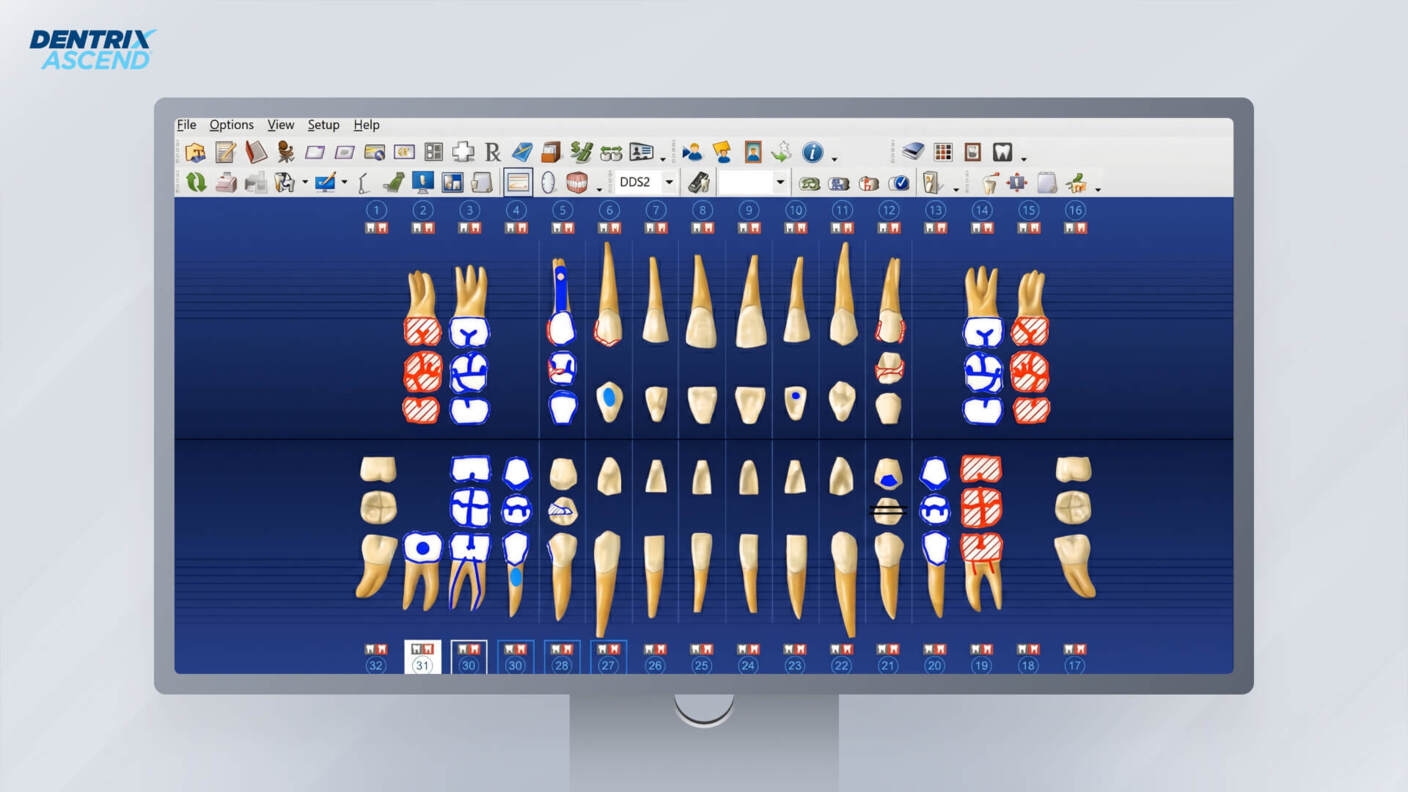
Dentrix Ascend, from Henry Schein, is built for growing practices and multi-location dental groups. It centralizes patient records, billing, and scheduling across locations, with a role-based interface that shows each staff member only what's relevant to their job.
The platform's strength is consistency at scale. A DSO running several offices can standardize workflows and pull performance data into one dashboard rather than reconciling numbers across separate systems. Henry Schein One also offers a guided trial environment with your own data as part of onboarding, rather than a self-serve free trial.
Key features
-
Multi-site management with centralized reporting and shared records
-
Role-based dashboards for front desk, hygienist, and dentist views
-
Native text and email reminders to cut down no-shows
-
Smart charting with customizable templates
Where it stands out
-
Scales well for large groups and DSOs
-
Clean interface that keeps training time short
-
Solid custom reporting tools
Worth weighing
-
Pricing can be steep for solo or small practices
-
Reporting is a recurring point of friction across independent user reviews on multiple platforms; worth testing this specifically during a trialThe Power Reporting module draws repeated criticism in verified user reviews on Capterra and Software Advice — reviewers describe it as confusing and overly complex to pull the data they need, and some report inconsistent figures between reports. Worth testing your specific reporting needs during a trial.

2. Curve Dental
Pricing: Custom quote per provider
Curve Dental built its reputation on a clean interface and dependable customer support. It covers the standard administrative load — scheduling, charting, revenue tracking — while staying approachable for general dentists who want one system that doesn't require a steep learning curve.
A native imaging module is one of its more practical advantages. X-rays store directly inside the patient chart, so clinics skip the third-party imaging bridges that other platforms still require.
Key features
-
CurveGRO — two-way texting and automated appointment reminders
-
Native imaging — radiograph capture and storage built into the platform
-
Smart scheduling — drag-and-drop booking with color-coded provider blocks
-
Custom reporting — builds financial and clinical reports without much setup
Where it stands out
-
Genuinely intuitive interface
-
No need for separate imaging software
-
Responsive, knowledgeable support team
Worth weighing
-
Worth testing the reporting module against your specific financial questions before committing
-
Costs rise as you add modules, so confirm what's included in the base quote; some users also report occasional inaccuracies in insurance estimate calculationsCosts rise as you add modules, so confirm what's included in the base quote; if accurate insurance estimates are critical to your workflow, it's worth testing that specifically during a trial

3. Open Dental Cloud
Pricing: Self-hosted support starts around $149–199/month per location; Open Dental Cloud itself is quote-based, priced per practice Self-hosted support starts around $149–199/month per location (as of 2026); Open Dental Cloud itself is quote-based, priced per practice
Open Dental built its name as an on-premise, open-source system, and Open Dental Cloud is that same software hosted on a managed server instead of office hardware. The appeal is owning your own database while still getting remote access, and Open Dental publishes its self-hosted support fees openly rather than hiding them behind a sales call.
This setup suits tech-savvy practices that want to run their own custom reports or build specific integrations rather than working inside a closed system. The cloud-hosted option requires a personalized quote, and the trade-off versus self-hosting is added monthly cost in exchange for not having to manage server hardware yourself.
Key features
-
Open database with full access for custom SQL reporting
-
Detailed graphical tooth charts and note templates
-
One of the largest third-party integration libraries in dental software
-
Highly customizable workflows
Where it stands out
-
Self-hosted support fees are published openly and among the more affordable options in the category
-
Unmatched flexibility for reporting and customization
-
Large, active user community sharing templates and fixes
Worth weighing
-
Cloud hosting adds cost on top of the base support fee, and pricing requires a quote
-
Interface feels dated next to newer web apps
4. CareStack
Pricing: Custom, tiered
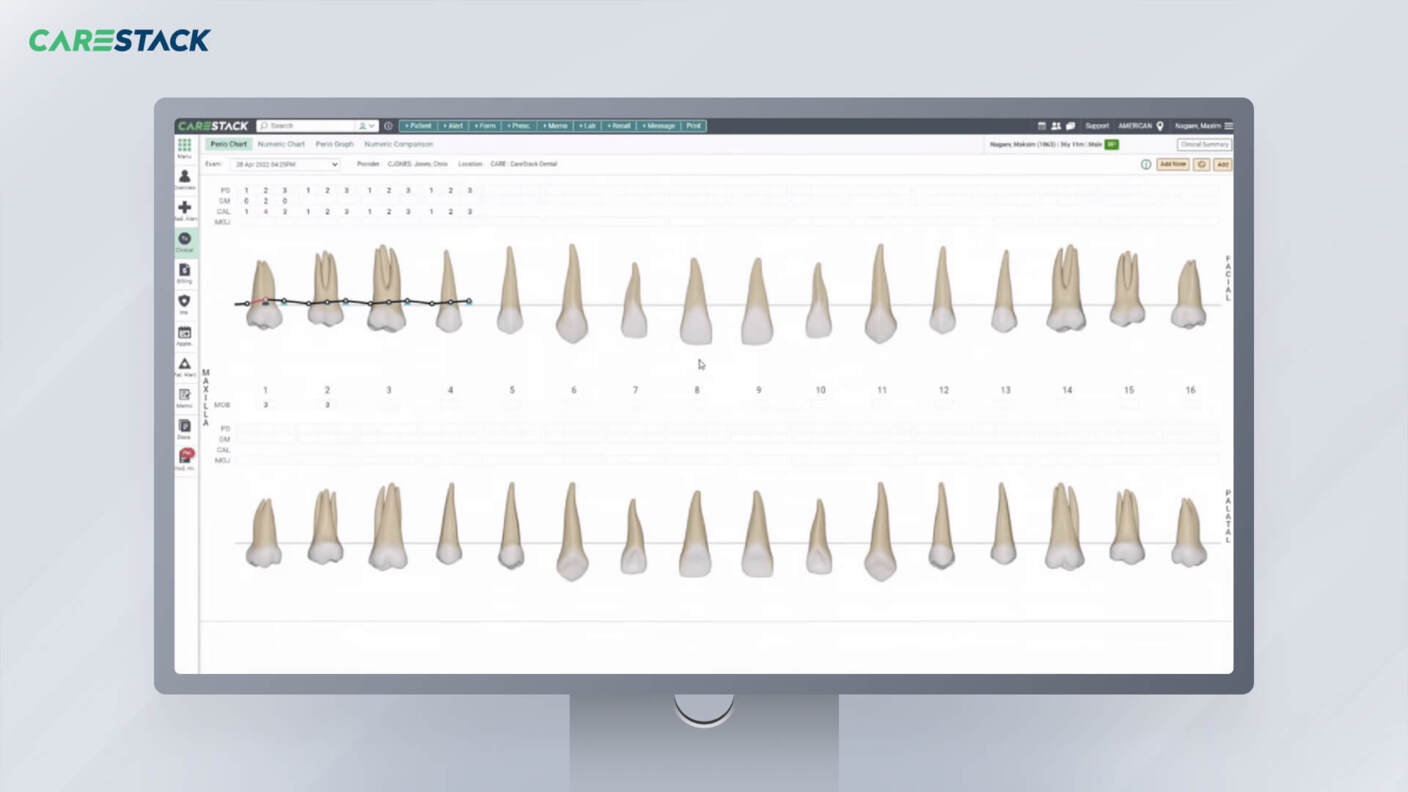
CareStack aims to replace the patchwork of separate tools many clinics end up running. Scheduling, charting, patient engagement, and revenue cycle management all sit under one platform, which cuts down on the integration headaches that come with stitching together multiple vendors.
Billing is where it really stands out. Deep insurance verification and claim tracking help reduce the unpaid balances that quietly drag down a practice's collections.
Key features
-
Advanced revenue cycle management with claim tracking
-
Patient portal for forms and payments
-
Built-in analytics dashboards
-
Centralized data across multiple tax IDs and fee schedules
Where it stands out
-
Removes the need for separate communication tools
-
Strong insurance tracking and billing workflows
-
Scales well for growing groups, and independent user reviews consistently note responsive implementation and support teams
Worth weighing
-
Steep learning curve given the feature volume
-
Migration and implementation can take a while
5. tab32
Pricing: Custom, based on modules used
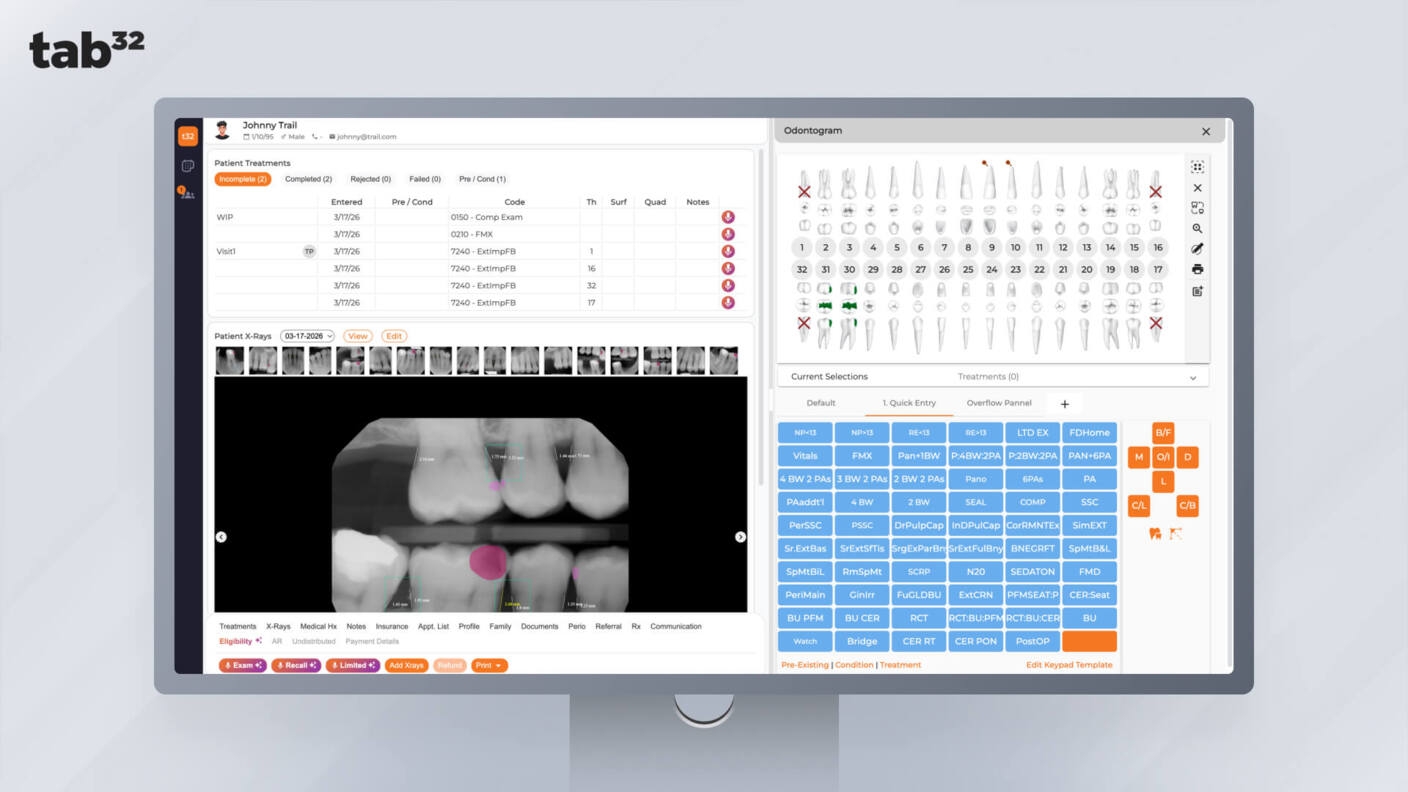
tab32 builds every module in-house rather than bridging to third-party tools, which keeps data flowing smoothly between scheduling, communication, and imaging. That architecture makes it a strong fit for mobile clinics and fast-growing DSOs that need a lightweight, fully cloud-native system.
Key features
-
HelloPatient — native texting, online booking, and digital consent forms
-
X-Ray Studio — built-in cloud imaging without external bridges
-
Multi-tenant architecture for managing several locations securely
-
Streamlined electronic claims submission
Where it stands out
-
True all-in-one system with no third-party bridges needed
-
Strong native imaging module
-
Well suited to remote and mobile dental practices, and currently offers a free trial directly from its website
Worth weighing
-
Customizing clinical note templates may take more setup time than simpler platforms
-
Independent reviews repeatedly flag tab32's pricing structure as opaque, with per-feature charges that can be hard to itemize upfront; worth getting a fully itemized quote before signingPricing is module-based and quote-driven, so the per-feature charges can be hard to itemize upfront; worth getting a fully itemized quote before signing
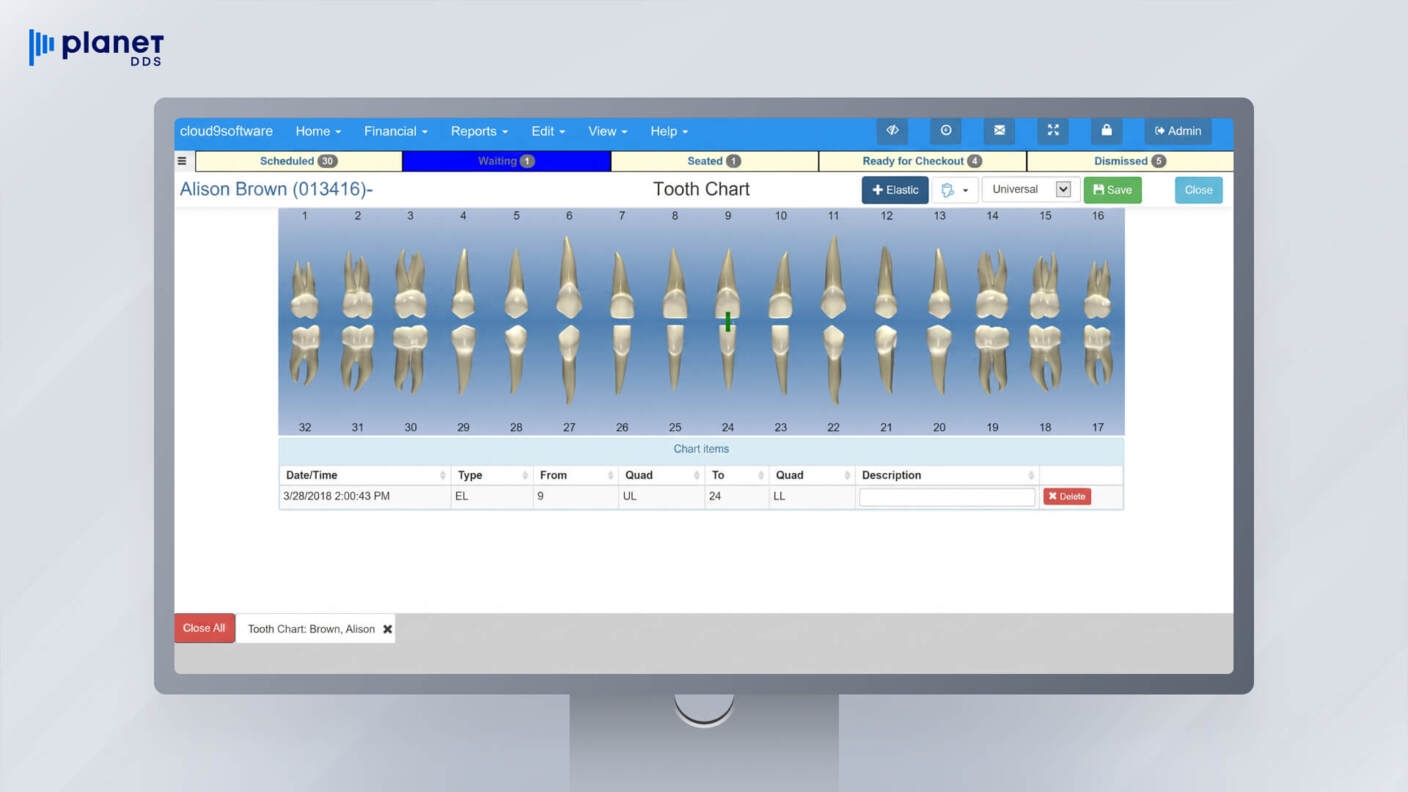
6. Cloud 9 Ortho
Pricing: Custom, based on clinic size
Cloud 9 Ortho, now owned by Planet DDS, is built specifically for orthodontists and pediatric dentists, two specialties where general practice software tends to fall short. Multi-year payment plans and rapid patient turnover are normal in an ortho office, and Cloud 9 is designed around exactly that rhythm.
Key features
-
Automated handling of recurring orthodontic payment plans
-
Slider-based charting built for quick chairside notes
-
Referral tracking tools for rewarding referring dentists
-
Multi-location scheduling
Where it stands out
-
Built around the financial structure specific to orthodontic practices
-
Fast scheduling suited to high-volume clinics
-
Strong multi-location sync
Worth weighing
-
Not a fit for general dentistry
-
Several add-on features like patient communication and e-signature tools are priced separately from the base platform, and some users report support access became harder to reach after the Planet DDS acquisition

7. Eaglesoft Cloud (by Patterson Dental)
Pricing: Custom
Eaglesoft has been a dental software mainstay for decades, and Patterson Dental owns and sells it exclusively. Worth knowing upfront: Eaglesoft's core architecture is on-premise and server-based, with cloud hosting available as an add-on layer rather than the product being built cloud-native. For clinics already in the Patterson ecosystem who want remote access without switching platforms, that's a reasonable middle ground, but it's a different proposition than the fully cloud-native systems elsewhere on this list.
Key features
-
SmartDoc — document management for forms and referrals
-
Detailed 3D charting and periodontal tracking
-
Backed by Patterson Dental's national support network
-
Visual treatment plan presentations for patients
Where it stands out
-
Familiar to staff already trained on legacy Eaglesoft
-
Strong clinical and periodontal charting
-
Reliable support from an established distributor, with most sources confirming a free trial is available alongside the standard demo
Worth weighing
-
Functions as on-premise software with cloud hosting layered on, rather than a cloud-native platform
-
Patient communication and texting are not built in; expect to pay for a third-party tool like RevenueWell, Weave, or Solutionreach on top of the base price

8. ACE Dental Cloud
Pricing: Tiered cloud plans starting around $99/month, with higher tiers for clinical and bundled features Tiered cloud plans starting around $99/month (as of 2026), with higher tiers for clinical and bundled features
ACE Dental Cloud keeps things simple and affordable, aimed squarely at solo practitioners and small or startup clinics. The entry-level cloud tier covers front-office basics like scheduling and billing, while higher tiers add clinical charting and a bundled feature set for practices that need more.
Key features
-
Color-coded appointment book
-
Streamlined electronic claims
-
Built-in e-prescribing
-
Automated patient billing statements
Where it stands out
-
One of the most budget-friendly cloud options available
-
Simple enough for small teams to pick up quickly
-
Fast setup with minimal training
Worth weighing
-
Limited patient engagement and marketing tools
-
Not built to scale for large multi-location groups

9. iDentalSoft
Pricing: Starts around $295–395/month, with a 30-day free trial available Starts around $295–395/month (as of 2026), with a 30-day free trial available
iDentalSoft is built around going fully paperless, with digital intake forms and tablet signature capture replacing the standard clipboard. The platform runs smoothly on tablets and smartphones, which matters for clinics trying to modernize the waiting room experience specifically.
Key features
-
Digital intake forms with iPad signature capture
-
Native imaging with no separate bridge required
-
Real-time sync across multiple locations
-
Integrated payment processing
Where it stands out
-
Strong tools for running a genuinely paperless office
-
Performs well on iPads and mobile devices
-
Customer support responsiveness is one of the most consistently praised aspects across independent reviews
Worth weighing
-
Some users report a learning curve around navigation, including the lack of a clear back button between screens
-
Custom report generation may require more onboarding time than simpler platforms
How to Choose the Right Cloud Practice Management Platform
The best cloud-based dental practice management software for one clinic can be the wrong fit for another, since the right platform depends entirely on how your practice operates rather than which system has the longest feature list. A handful of factors are worth weighing before signing a contract.
Assessing Practice Size and Needs
Start with your patient volume and team size. A small clinic generally does better with a lighter, more intuitive platform like Curve Dental or ACE Dental, while a large DSO needs the reporting depth that CareStack or Dentrix Ascend can offer. Orthodontic specialists, meanwhile, are usually better served by a specialty-built system like Cloud 9 than by general practice software.
Integration With Existing Tools
Check that any new platform plays well with what you're already running, particularly digital X-ray sensors and intraoral scanners. If you rely on third-party communication or revenue cycle tools, open API access becomes a near-requirement rather than a nice-to-have.
Budget Considerations
Most cloud software runs on a subscription model, billed monthly or annually. Read the fine print on what's actually included in the base price — imaging modules, e-prescribing, and patient texting are sometimes billed as add-ons. Calculating the total cost of ownership up front avoids surprises later.
Support and Training
Switching systems disrupts daily operations no matter how smooth the transition is supposed to be. Look for a vendor that offers dedicated onboarding and live training, and pay attention to how quickly their support team actually responds once something goes wrong during a busy clinic day.
Data Migration Process
Moving years of patient records, ledgers, and X-rays from an old server to a new cloud system is one of the riskier parts of any switch. Ask vendors directly how they handle data conversion, and make sure clinical notes and imaging files transfer without corruption. A clean migration usually predicts a smooth rollout overall.

A Note on Specialty Tools: Where SoftSmile Fits
Practice management software keeps the front desk and back office running, but it isn't built to handle every clinical task. Orthodontic treatment planning is one area where most general systems stop short — and where a dedicated tool earns its place alongside the platform you choose above.
SoftSmile is a treatment-planning platform built specifically for clear aligner design. Rather than managing scheduling or billing, it takes a 3D intraoral scan and turns it into a precise, biomechanically sound aligner sequence. AI handles the tedious model-prep work, while the underlying engine accounts for the physical forces behind tooth movement, not just the visual end result.
For practices and labs already committed to digital workflows, that makes SoftSmile a natural complement to a cloud practice management system: the PM platform runs the business, and SoftSmile handles the clinical precision of aligner cases. It accepts standard STL/PLY files, exports models ready for any 3D printer, and syncs with existing scanning and practice management setups — so it slots into your stack rather than replacing any part of it.
FAQ
Is cloud dental software HIPAA-compliant?
Many leading vendors build their platforms with HIPAA safeguards in mind, including encryption, multi-factor authentication, and secure data centers. Compliance specifics still vary by provider, so it's worth confirming directly with any vendor what their HIPAA documentation actually covers before signing a contract.
Can I migrate from local software to the cloud?
Yes. Most cloud vendors offer dedicated migration support, with technical teams extracting records, schedules, and ledgers from your old server and converting them into the new system.
What happens if I lose internet access during an emergency?
This depends on the platform. Some offer limited offline functionality, while most require an active connection to function at all. It's worth asking each vendor directly about their contingency options, and keeping a backup like a cellular hotspot on hand regardless of what they offer.
How much does cloud dental software cost?
Pricing depends heavily on practice size and feature needs. Entry-level platforms often start around $99 to $295 per month, mid-range systems commonly fall in the $300 to $600 range for a small team, and full enterprise platforms can run well over $1,000 monthly. Many vendors keep pricing custom and quote-based rather than published, so getting an itemized quote is worth the extra step before comparing options. Pricing depends heavily on practice size and feature needs. As of 2026, entry-level platforms often start around $99 to $295 per month, mid-range systems commonly fall in the $300 to $600 range for a small team, and full enterprise platforms can run well over $1,000 monthly. Many vendors keep pricing custom and quote-based rather than published, so getting an itemized quote is worth the extra step before comparing options.
Is there free cloud dental practice management software for small practices?
Fully free, HIPAA-compliant hosting is rare given the infrastructure costs involved. That said, many vendors offer free trials, and open-source options like Open Dental can run cheaply if you manage your own cloud hosting.
Are automatic software updates disruptive?
Not typically. Updates are usually pushed by the vendor overnight or on weekends, so staff log into the latest version without doing any manual installation themselves.
Sign up for our newsletter!
Case Studies, Podcasts, Ebooks, Events, Webinars, Company news, and more...
By subscribing you agree to the Terms of Use and Privacy Policy.


